Meshcore troubleshooting
MeshCore is a relatively new project, started in late 2024. The software is actively evolving, with new features, performance improvements, and bug fixes being added on a regular basis.
Because the platform is still maturing, you may occasionally encounter bugs or configuration challenges that require some troubleshooting. Community feedback and participation help improve the software, making early adopters an important part of MeshCore's continued development.
Why am I missing some messages?
Channel messages and direct messages work very differently in Meshcore.
Channel messages are unreliable
Channel messages are sent using a single flooded packet to all nearby nodes. Only one packet is sent, but if multiple repeaters are within range of the sender, the packet is effectively multiplied by each receiving repeater. The extra packets are useful to make sure everyone in range has a good chance of receiving the message.
The ISM band where our mesh devices operate is full of small bursts of interference from things like water and power meters. Having multiple repeaters in an area will create redundancy by duplicating flooded packets, increasing the opportunity for companions to receive channel messages, even if some of them are lost due to interference.
            📡 Sending Node
                  )))→

     📡 Repeater 1  📡 Repeater 2
           )))→          )))→

            📡 Receiving Node
Meshcore users who do not have the benefit of multiple repeaters nearby may notice it is difficult to follow channel conversations. In fact so many messages can be lost that a conversation is not even discernible to the receiver. The user may receive occasional stray messages, but not enough to follow a conversation.
Up to a point, adding more repeaters to an area adds redundancy and makes the network more functional.
Sending messages to channels can also be problematic. A conversation may be received in a channel, and you may think you are participating in the conversation, but in fact nobody else is receiving your messages. Your messages will appear in the conversation as it is displayed on your device, but they do not appear on one or more others devices.
How to know you are being received by others?
- From time to time, be sure to ask if you are being received by others.
- Send the word 'Test' to the #test or #bot channel and see if you get a response.
- Use an observer website to see if your messages are being received.
Direct messages have delivery confirmation
Direct messages do not have the same questionable delivery issue as channel messages, but they can only be sent to one other node.
Direct messages are sent with multiple packets as needed, and message delivery is confirmed with an 'ACK' response. If the first attempt to send a DM fails, the companion will retry several times until delivery is confirmed.
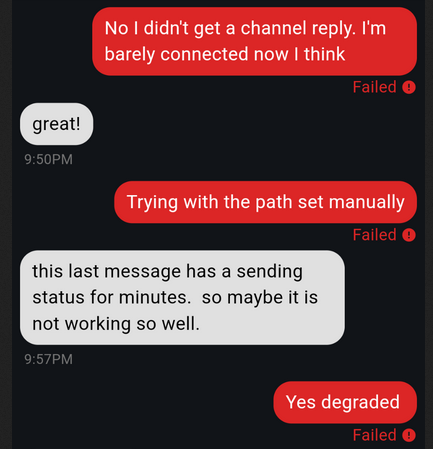
If the message is never delivered, the message delivery is set to 'failed'. No confusion there.
Checking on your messages with Meshcore Observers
Observer nodes are placed strategically throughout the network, and we can use them to see if our messages are being sent out properly.
Using the Tennmesh CoreScope System
Note: at the time of writing, this server seems to crash often, but when its working, its got the best data.
Start on the Channels Page:
- Select the channel name you want to monitor, or
- Add a channel name before sending your message
Quietening a Busy Mesh
A large mesh can distribute so many messages and contacts it can be overwhelming. These are some settings you can change to help reduce the noise:
-
Disable notifications on busy channels, such as Public and #test. On your list of channels, click on the three dots menu, select Notifications and select Mentions Only.
-
Change the Contact Settings in your meshcore app. Your companion radio can only store 350 contacts, and a busy mesh will surpass that quickly.
Go to Settings->Contact Settings, and set Auto Add Max Hops to something low, like 3 or 4 hops. The meshcore app will continue to save all available contacts under the Discover Contacts menu, and you can manually save contacts to your companion radio from that menu if you ever need to.
-
Add and use local channels. This requires a bit of coordination locally to get everyone on the same channel, so having a list online somewhere is helpful.
-
Remove the Public channel, or any other busy channel you don't need. Especially remove the Public channel, it can be added back later if you need it.
-
In extreme cases, you can block the Null region ('*') from local repeaters. (This is not yet recommended by the meshcore developers.)
This will block channel messages and contacts sent without your locally defined regions. This will also block you from sending messages outside your regions. Be sure you have working regions before taking this step.
This will require extra coordination among all mesh members to add regions to their list of channels.
NOTE: There IS a region discovery feature available for companion nodes... Open a channel, from the options go to Set Region Scope, from the options go to Discover Regions.
NOTE: There is discussion about allowing direct messages even when the Null region is blocked, take a look here.
See the regions section above for references.
Using txdelay and rxdelay for repeaters close to each other
I have two repeaters in my location because, thanks to surrounding hills, there is no single location with a clear line-of-site to the rest of my area.
I noticed both repeaters attempt to broadcast relays at nearly the same time, and they were interfering with each other. I was able to adjust the timing on broadcasts to help prevent collisions. You make these changes in the 'Command Line' tab when signed into the Admin the repeater.
NOTE: these settings worked for me, make sure you understand what you are changing and use values that make sense for your setup.
Hilltop node
Side-yard node
References:
Repeater command line reference